
The AI answering service in your pocket
Your next customer could be calling. Let Juney answer.
Juney answers your calls when you can’t, books the appointment and sends you the details. Same number.
Built by the team behind

Voice AI trusted by 4,000+ businesses
You can still answer the call.
Juney doesn’t have to take every call. Turn on Ring me first and she only steps in when you can’t get to the phone.
A customer calls.
Your phone rings first. Miss it for 15 seconds and  Juney answers.
Pick up whenever you can. She only gets the ones you miss.
Ring me first is on.

Juney lives in your phone.
It answers your calls and brings every one back to you, wherever you are.
Notifications
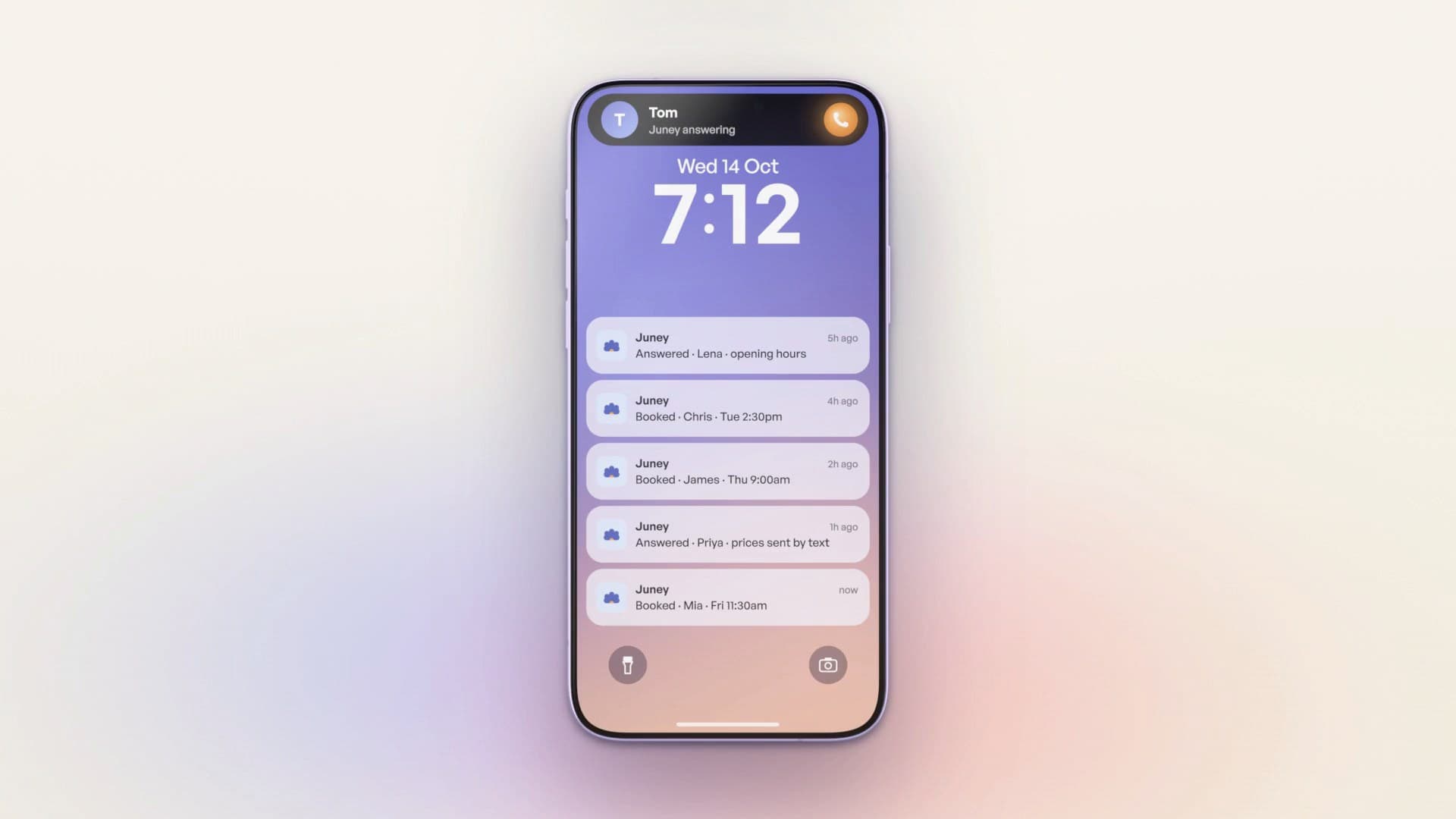
On your Lock Screen
See who called and what they need at a glance.
Call summary
In the notification
Open it to read the whole summary of the call.
Email
In your inbox
Get each call summary by email.
The Juney app
In the app
Every call in one place, and where you change how Juney works.
 Juneynow

While you’re with a client,
Juney’s on the phone.
One call, from hello to booked.
Built for businesses like yours.
From trades to salons and clinics: for anyone who’s on the job when the phone rings. Here’s a working day with Juney on the line.

7:50 AM · Heating job
The urgent one still reaches you.
Put through to youNo hot waterMarked urgent
9:20 AM · Hair salon
Scissors in hand. Next client booked.
BookedCut and colorToday 2:30 PM
10:45 AM · In session
In session. The message waits for you.
Message takenRunning 15 minutes lateSummary on your phone
12:30 PM · At a showing
Showing a house. Callback lined up.
Callback requestedViewing requestBest after 4 PM
2:10 PM · In the workshop
Hands in the engine. Link texted.
Booking link textedCar serviceSent during the call
Why it works for trades
You’re up a ladder or under a sink when the next job rings, and the phone stays in your pocket.
See Juney for trades businesses- Urgent calls reach youWhen a caller says “burst pipe” or “no power”, Juney puts them straight through to the number you choose.
- Takes the job detailsFor everything else she takes the name, number, address and what’s wrong, then sends you the summary.
- Quotes booked around your dayConnect your Google Calendar and she books the visit into a free slot, then emails the caller an invite.
Same number.
Juney picks up every call.
Turn on call forwarding and Juney picks up. Nothing to reprint.
After hours, Juney takes a message.
Juney answers and books in business hours, and takes a message after.
After hours, Juney takes a message. Juney answers and books in business hours, and takes a message after.
The app shows you how to forward calls on your carrier.
 7 AM to 5 PMJuney takes bookings
Tell Juney how you
like things handled.
For each reason people ring, choose what Juney asks and what it does next.
 American
 Australian
 British
Pick the voice and speaking speed, then write the greeting and closing line yourself.
Ready in three steps.
You stay in control.
Step 01
Introduce your business
Start with your website, then check your services, hours and business details.
Step 02
Try a call yourself
Hear how Juney handles a customer, then adjust anything you’d say differently.
Step 03
Forward your calls
Switch on call forwarding with your current provider. Your number stays the same.
And so much more.
Google Calendar
Books, moves and cancels appointments when a caller asks.
Each kind of call
Choose what Juney asks and does for every reason people ring.
Booking links by text
Texts your online booking link while the caller’s on the line.
Summaries your way
A summary and transcript of every call, by app or email.
Messages and callbacks
If it needs you, Juney takes a message and flags it.
Puts callers through
Transfers urgent calls to the number you choose.
Three accents
Australian, American or British voices, at the speed you like.
Learns from your website
Picks up your services, prices, hours and common questions.
Keep your number
Forward your calls. Nothing is ported or moved.
Voicemail after hours
Choose voicemail outside your hours, and Juney takes a message.
Blocks unwanted numbers
Spam and sales numbers go on a list Juney never answers.
Change it anytime
Update your details and instructions in the app.
One plan.
Everything included.
7-day free trial · 50 minutes included
The Juney plan
$49 USD / month
After your free trial, billed $49 USD each month.
- Minutes
- 150 minutes/month
- Calls
- About 75 calls/month
- Free trial
- 7 days · 50 minutes
- Top-ups
- $20 per 100 minutes, no expiry
Included with either option
- Calls answered, day or night
- Learns your business from your website
- Google Calendar booking, moving and canceling
- A summary and transcript after every call, by app or email
- Voicemail and after-hours cover
- Your own greeting, voice and call scenarios
- Transfers, booking links and blocked numbers
Prices in US dollars. Same features on both plans. Call counts are estimates.
Your questions,
covered.
Download JuneyJuney costs $49 USD per month, or $490 USD per year paid upfront. All prices are in US dollars. Annual gets you 2 months free: twelve months for the price of 10. Both plans include 150 minutes each month, about 75 calls depending on call length, and the same features. Extra minutes are top-ups of 100 minutes for $20, bought in the app, and top-up minutes don’t expire. You start with a 7-day free trial that includes 50 answering minutes.
Yes. Keep your current number and provider, and forward your calls to Juney. Nothing is ported or moved. Setup varies by carrier, and the app shows you the steps for yours.
Yes. Turn on Ring me first and the Juney app rings your phone first, like a WhatsApp call, for 15 seconds. Pick up and you’re talking to your caller. Decline or let it ring, and Juney answers. Callers you add to Excluded contacts never reach Juney.
Every call, day or night. Once your calls are forwarded, Juney picks up when your business number rings, or your phone can ring first for about 15 seconds so you can take the call yourself. Or set your Answering schedule, so outside your hours callers get your voicemail greeting, after your phone rings first if that’s on.
Yes. Connect your Google Calendar and set how long each booking runs. Juney checks when you’re free, books the appointment and sends a confirmation, with the details ready for you to review.
Start with your website, then check your services, hours and business details. Add instructions for handling calls and try a conversation yourself. You can update those details anytime in the app.
If a question needs your input, Juney takes a message and flags the call for you. You’ll have the caller’s details and their question ready when you follow up.
Google Calendar. Juney uses your connected calendar to check when you’re free, books appointments for the length you choose, and can move or cancel a booking when a caller asks.
You control the greeting. We recommend clearly introducing Juney as your AI assistant, so callers know who they’re speaking with from the start.
An AI answering service handles incoming calls using your business information and instructions. Juney answers customer questions, books appointments and takes messages, then sends you a summary so you know what happened.
Juney is for businesses in Australia, the US, UK and Canada. It speaks English, with a choice of Australian, American or British accent voices.

The Juney app
Get Juney on your phone.
Set up in a few minutes. Your number stays the same.
- iPhone

- Android

7-day free trial · 50 minutes included